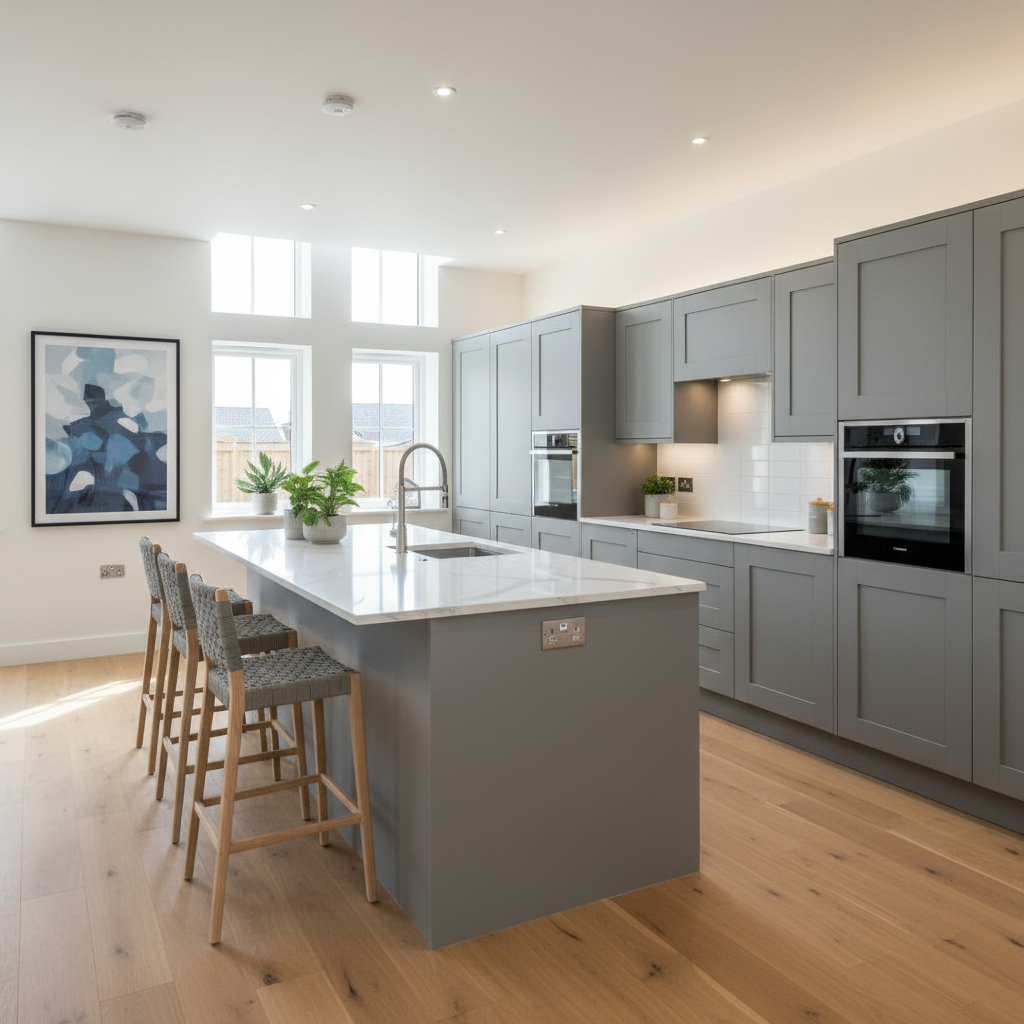
What Smart Features Come as Standard in 2025-2026 New Builds
The baseline smart home specification in a new build has improved dramatically over the past five years, driven largely by building regulations rather than developer generosity. Here is what you can expect as standard in most UK new builds completed from 2025 onwards:
Smart Meters (Gas and Electricity)
Since 2020, all new domestic energy installations in Great Britain must include smart meters. Your new build will come with SMETS2 (Smart Metering Equipment Technical Specifications, version 2) smart meters for both gas and electricity. These meters automatically transmit your usage data to your energy supplier, eliminating the need for estimated bills or manual meter readings. They also come with an in-home display (IHD) — a small screen that shows your real-time energy usage in kilowatt-hours and pounds and pence.
The smart meter itself is not particularly exciting, but it is the foundation for other smart energy features. Smart meters enable time-of-use tariffs (such as Octopus Agile or Octopus Go, where electricity costs less at off-peak times), integration with smart thermostats for energy-aware heating schedules, and future integration with home battery systems and vehicle-to-grid charging. If your new build has solar panels or a battery storage system, the smart meter is essential for monitoring generation, consumption, and export to the grid.
Smart Thermostat or Programmer
Most new build developers now install a smart or connected thermostat as standard, though the definition of "smart" varies. At the basic end, you may receive a programmable room thermostat that can be controlled via an app — this is technically smart but lacks the learning and optimisation features of premium systems. At the higher end, some developers (particularly Redrow, David Wilson, and Cala Homes) install genuine smart thermostats like the Hive Active Heating system or the Drayton Wiser system as standard.
The thermostat you receive will depend on your heating system. New builds completed from late 2025 onwards under the updated Part L (now Future Homes Standard) building regulations will increasingly use air source heat pumps (ASHPs) rather than gas boilers. Heat pump systems require compatible smart controls — not all smart thermostats work with heat pumps, which is an important point we will cover in detail later in this guide.
USB Charging Sockets
Double plug sockets with integrated USB charging ports (typically USB-A, and increasingly USB-C) are now standard in most new build kitchens, bedrooms, and living rooms. These are convenient for charging phones, tablets, and other devices without needing a separate charging plug. However, the USB ports on standard sockets typically deliver only 2.1A to 3.1A total across both ports, which is adequate for phones but slow for tablets and completely inadequate for laptops. If fast charging is important to you, consider upgrading key sockets to dedicated high-power USB-C outlets (see the upgrades section below).
CAT6 or CAT6a Wiring (Sometimes)
Some developers pre-wire new builds with structured data cabling — typically CAT6 or CAT6a ethernet cable — to key rooms. This allows you to connect devices directly to your router via wired ethernet rather than relying on WiFi, which is significantly faster and more reliable for devices like desktop computers, smart TVs, games consoles, and network-attached storage (NAS). However, structured cabling is not universal: some developers include it as standard, others offer it as an upgrade, and many do not offer it at all. If it is available as a developer upgrade, it is one of the most worthwhile additions you can make (see upgrades section).
Smoke and Carbon Monoxide Detectors
All new builds must have smoke detectors on every floor and carbon monoxide detectors in rooms with combustion appliances (boilers, fireplaces) under building regulations. In most new builds from 2025, these are mains-powered, interconnected detectors — meaning that if one detector activates, all detectors in the house sound simultaneously. Some developers now install smart-enabled detectors (such as the Aico 3000 series with SmartLINK connectivity) that can send alerts to your phone, but this is not yet standard across all developers.
Mechanical Ventilation with Heat Recovery (MVHR)
Under the increasingly stringent energy efficiency requirements of building regulations, many new builds (particularly those built to Future Homes Standard from 2025) include MVHR systems. These systems continuously extract stale, humid air from wet rooms (kitchens, bathrooms, utility rooms) and supply fresh, filtered air to living spaces, recovering heat from the outgoing air to pre-warm the incoming air. MVHR systems typically include a central control unit with a basic interface and boost function, but many can be connected to smart home systems via additional modules. We will discuss smart MVHR integration later.
EV Charger Pre-wiring or Charger
Under the Building Regulations Part S (enacted June 2022), all new homes with associated parking must include either an EV charge point or at least cable routes (ducting and pre-wiring) for future EV charger installation. In practice, most developers in 2025 are installing actual EV charge points rather than just pre-wiring, though the specification varies from basic untethered 7kW chargers to more capable smart chargers. We will cover EV charging in detail later.
What Does NOT Come as Standard
Despite the improving baseline, there are many smart home features that are not standard in any UK new build and must be added either as a developer upgrade or after completion: smart lighting (beyond standard switches), smart door locks, smart security cameras and video doorbells, smart speakers and voice assistants, automated blinds or curtains, whole-home audio systems, smart appliances (ovens, fridges, washing machines), home automation hubs, and advanced WiFi systems (mesh networking).
What Developers Offer as Upgrades — And What's Worth Paying For
Most major UK developers offer a range of smart home upgrades that can be added at the reservation stage (before construction reaches a certain point). The availability and pricing of these upgrades varies significantly between developers and even between developments, so always request the full upgrade price list from your sales advisor. Here is a guide to the most common developer smart home upgrades, with an honest assessment of which are worth the money.
Smart Lighting Packages
What it typically includes: Dimmer switches, colour-tuneable LED downlights, and sometimes app-controlled lighting in key rooms (living room, kitchen, master bedroom). Some developers partner with specific brands — for example, Redrow has offered Lutron lighting packages, while Taylor Wimpey has offered packages featuring Rako controls.
Developer upgrade cost: Typically £500 to £2,500 depending on the number of rooms and the system specification.
Our verdict: Mixed — depends on the system. If the developer offers a proper hardwired smart lighting system (such as Lutron, Rako, or Loxone), this is worth considering because these systems are significantly easier and cheaper to install during construction than after completion. Hardwired smart lighting involves running additional control cables alongside the standard lighting circuits, which is impractical once walls are plastered and decorated. However, if the developer is simply offering to install smart bulbs (such as Philips Hue) in standard fittings, this is not worth paying for — you can buy and install smart bulbs yourself in minutes after moving in at a fraction of the developer's price.
Alternative after completion: For most homeowners, the easiest and most cost-effective approach to smart lighting is to install smart bulbs (Philips Hue, WiZ, IKEA TRADFRI, or TP-Link Tapo) in existing light fittings after moving in. A Philips Hue starter kit (bridge plus three white-and-colour-ambiance bulbs) costs approximately £100 to £130, and individual bulbs cost £15 to £50 each. For a three-bedroom house, a comprehensive Philips Hue setup covering all main rooms costs approximately £400 to £800. Alternatively, smart switches (such as the Hive Active Light switch or the TP-Link Kasa smart dimmer switch) replace your existing light switches and allow app and voice control of standard bulbs — these cost approximately £30 to £50 per switch and are a simpler solution if you do not need colour-changing capabilities.
Smart Security Packages
What it typically includes: A combination of smart alarm system, video doorbell, external security cameras, and sometimes smart door locks. Developers may partner with brands like Yale (offering the Yale Sync alarm system) or with bespoke security installers.
Developer upgrade cost: Typically £800 to £3,000 depending on the scope.
Our verdict: Generally not worth it. Smart security technology is one of the areas where consumer products have advanced so rapidly that developer-installed systems are often outdated by the time you move in. The Ring, Google Nest, and Eufy ecosystems offer comprehensive, easy-to-install smart security at competitive prices. A Ring Video Doorbell (approximately £80 to £180), a Ring Alarm system (approximately £220 to £350 for a 5-piece kit), and two Ring Stick Up Cameras (approximately £90 each) provide comprehensive smart security for approximately £480 to £710 — typically less than half the developer's upgrade price, with newer hardware and better app integration. The only exception is if the developer offers a hardwired, professionally monitored alarm system (such as those from Texecom or Pyronix with 24/7 monitoring) — these are more difficult to install after completion and provide a higher level of security than DIY systems.
Integrated Speaker and Audio Systems
What it typically includes: Ceiling-mounted speakers in key rooms, wired back to a central amplifier or multi-room audio system. Brands commonly offered include Sonos (built-in), Bose, or specialist installers using speakers from brands like Lithe Audio, Systemline, or Monitor Audio.
Developer upgrade cost: Typically £1,500 to £5,000 depending on the number of rooms and the brand.
Our verdict: Worth it if you want invisible speakers. If having ceiling-flush, invisible speakers throughout your home is important to you, this is one of the few smart upgrades that is genuinely much easier and cheaper to install during construction. Running speaker cable through walls and ceilings, installing back-boxes for flush-mounted speakers, and routing cables back to a central location is straightforward during the build phase but disruptive and expensive after completion. However, if you are happy with visible speakers, you can achieve excellent multi-room audio after moving in using wireless systems like Sonos (the Sonos Era 100 at approximately £250 each or Sonos Era 300 at approximately £450 each), Apple HomePod (approximately £300) or HomePod Mini (approximately £99), Amazon Echo Studio (approximately £190), or Google Nest Audio (approximately £90). These wireless speakers require no installation beyond plugging them in and are easy to upgrade or replace as technology evolves.
EV Charger Upgrade
What it typically includes: Upgrading from the basic EV charge point to a higher-specification smart charger with features like load balancing, scheduled charging, solar integration, and a tethered cable.
Developer upgrade cost: Typically £300 to £800 above the standard provision.
Our verdict: Sometimes worth it. If the developer's standard charger is a basic, non-smart unit and the upgrade provides a properly smart charger from a reputable brand (such as Ohme, Zappi, Easee, or Pod Point Solo 3), the upgrade can be worthwhile because it saves the hassle of swapping the charger after completion. However, if the standard charger is already a reasonable smart unit, the incremental upgrade is usually not worth the developer's markup. We cover EV charging in much greater detail later in this guide.
Structured Data Cabling (CAT6/CAT6a)
What it typically includes: CAT6 or CAT6a ethernet cable run from a central patch panel (usually located near the router position) to each main room — typically the living room, study/home office, and master bedroom, with some developers offering runs to every room.
Developer upgrade cost: Typically £300 to £1,000 for 4 to 8 data points.
Our verdict: Highly recommended. This is one of the most valuable smart home upgrades available from a developer, and one that is disproportionately difficult and expensive to retrofit after completion. Running ethernet cable through finished walls requires either visible trunking (unsightly) or chasing cables into plaster and making good (disruptive and costly, approximately £100 to £200 per cable run). During construction, the cables are simply run before the plasterboard goes up, making it trivially easy. CAT6a cable supports 10 Gigabit ethernet over distances up to 100 metres, meaning it will be future-proof for many years. Even if you do not use wired ethernet today, the cables can be used for other purposes — such as connecting wireless access points for a mesh WiFi system, running PoE (Power over Ethernet) security cameras, or connecting smart home hubs.
Pre-wiring for Wall-Mounted TV
What it typically includes: HDMI cables, power supply, and antenna cable run through the wall to a designated TV mounting position, with sockets recessed behind the TV location for a clean, cable-free appearance.
Developer upgrade cost: Typically £200 to £500 per location.
Our verdict: Worth it if you know where the TV will go. Having cables pre-run through the wall during construction is much cleaner and cheaper than retrofitting. The key is to be certain about the TV's location before construction reaches the first-fix stage, as moving the position later is difficult. If you are unsure about the TV location, or if you plan to use a TV stand rather than a wall mount, skip this upgrade.
Smart Heating Controls: A Deep Dive
Heating accounts for approximately 55% of energy use in the average UK home, making smart heating controls one of the most impactful smart home investments in terms of both comfort and cost savings. However, the smart heating landscape has become significantly more complex in recent years with the shift from gas boilers to heat pumps in new builds.
Gas Boiler Smart Controls
If your new build has a gas boiler (still possible on some plots where planning permission was granted before the Future Homes Standard took effect, or on certain brownfield sites with gas connections), the following smart thermostats are the market leaders:
Hive Active Heating (approximately £180 to £250 installed): The UK's best-selling smart thermostat, Hive Active Heating gives you smartphone app control, scheduling, geolocation (turning the heating down when you leave home and up when you return), and integration with Amazon Alexa, Google Assistant, and Apple HomeKit. The system includes a wireless thermostat and a receiver that replaces your boiler's existing programmer. It is simple to set up, reliable, and has an excellent app. The Hive Mini (approximately £80 to £120) offers a more basic version without the screen but with full app control. Many developers install Hive as standard.
Nest Learning Thermostat (approximately £200 to £250): Google's Nest thermostat learns your schedule and preferences over time, automatically adjusting the heating to match your routine. It also uses geolocation, energy history reporting, and integration with Google Home (and limited third-party integration). The Nest is beautifully designed and the learning algorithm is genuinely useful, though some users find it takes a few weeks to learn accurately. Note that Google ended the Works with Nest programme in 2023, meaning Nest now works primarily within the Google ecosystem — if you are an Apple household, Hive or Tado may be a better choice.
Tado Smart Thermostat (approximately £180 to £250 for the starter kit): Tado is the European market leader in smart heating and offers excellent geolocation-based control, multi-room temperature monitoring (with additional wireless temperature sensors, approximately £80 each), and comprehensive energy reports. Tado works with Apple HomeKit, Google Home, Amazon Alexa, and IFTTT, making it one of the most versatile systems for integration with other smart home devices. The app is well-designed and the system is reliable.
Drayton Wiser (approximately £150 to £250 for the starter kit): Made by Schneider Electric, Drayton Wiser is a particularly popular choice with new build developers because it offers excellent value and supports multi-zone heating control out of the box. The starter kit includes a hub, a room thermostat, and smart thermostatic radiator valves (TRVs) that allow you to control the temperature in each room independently. Additional TRVs cost approximately £40 to £50 each. Wiser integrates with Amazon Alexa, Google Home, Apple HomeKit (via the latest firmware update), and IFTTT. The Eco and Comfort modes are well-designed, and the system includes a useful "Moments" feature for scheduling heating around your daily routine.
Heat Pump Smart Controls
Heat pumps operate fundamentally differently from gas boilers, and this has significant implications for smart heating controls. Where a gas boiler heats water quickly to a high temperature and cycles on and off throughout the day, a heat pump heats water more slowly to a lower temperature and works most efficiently when running continuously at a steady output. This means that the aggressive on/off scheduling and rapid temperature setbacks that work well with gas boilers are actually counterproductive with heat pumps — turning a heat pump off and back on again wastes energy because the system has to work harder (and less efficiently) to bring the temperature back up from cold.
Not all smart thermostats are compatible with heat pumps, and those that are compatible may need to be configured specifically for heat pump operation. Here are the recommended options:
Manufacturer-provided controls: Most heat pump manufacturers (Vaillant, Daikin, Mitsubishi, Samsung, Bosch) provide their own smart controls that are specifically designed for their systems. These typically include an app for remote control, weather compensation (adjusting the heat pump's output based on the outdoor temperature), and scheduling. Using the manufacturer's own controls is generally the safest and most efficient option, as they are designed to work optimally with the specific heat pump model. Vaillant's sensoAPP, Daikin's ONECTA app, and Mitsubishi's MELCloud app all provide good smart functionality.
Hive (heat pump compatible): Hive has introduced heat pump compatibility for its Active Heating system, but the implementation varies by heat pump brand. Check compatibility carefully before purchasing. Hive works well with Vaillant heat pumps (which is unsurprising, as both Hive and Vaillant are owned by the same parent company).
Tado (heat pump compatible): Tado supports heat pumps but requires specific wiring configurations. The setup process for heat pumps is more complex than for gas boilers, and professional installation is recommended.
Drayton Wiser (heat pump compatible): Drayton Wiser supports heat pumps via its OpenTherm interface and provides heat pump-optimised scheduling. The Wiser system can work with weather compensation and can manage the lower flow temperatures used by heat pumps.
Homely (specifically designed for heat pumps): Homely is a relatively new entrant to the UK smart thermostat market, but it is specifically designed for heat pump systems. It uses machine learning to optimise heat pump operation based on your home's thermal characteristics, the weather forecast, and your schedule. Early reviews suggest it can improve heat pump efficiency by 15 to 30% compared to the manufacturer's default controls. Homely costs approximately £200 to £250 and is compatible with most major heat pump brands. For new build owners with heat pumps, Homely is an increasingly popular recommendation from MCS-certified installers.
Smart Thermostatic Radiator Valves (TRVs)
Regardless of whether you have a gas boiler or a heat pump, smart TRVs allow you to control the temperature in each room independently, rather than heating the entire house to the same temperature. This is particularly valuable in new builds where rooms have different thermal characteristics — a south-facing living room may need less heating than a north-facing bedroom, for example.
Smart TRVs replace the standard manual or thermostatic valves on your radiators and connect wirelessly to your smart thermostat system. They measure the temperature in each room and open or close the radiator valve to maintain the set temperature. Most smart thermostat systems offer compatible TRVs as accessories: Tado smart TRVs (approximately £65 to £80 each), Drayton Wiser TRVs (approximately £40 to £50 each), Hive TRVs (approximately £45 to £55 each), and Eve Thermo TRVs for Apple HomeKit users (approximately £60 to £70 each).
For a three-bedroom house with approximately 8 to 12 radiators, equipping every radiator with a smart TRV costs approximately £320 to £960 depending on the brand. The energy savings from room-by-room temperature control are estimated at 10 to 20% by manufacturers, though real-world savings depend heavily on your heating patterns and home insulation.
Smart Lighting: Systems, Brands, and What Works Best in New Builds
Smart lighting is one of the most visible and enjoyable smart home features, but the market is crowded with competing products and protocols. Here is a practical guide to the most popular options for new build homes:
Philips Hue
Philips Hue is the market leader in smart lighting and offers the widest range of products, from standard bulbs and light strips to outdoor lights, play bars, and sync boxes. The system requires a Hue Bridge (included in starter kits, approximately £50 standalone) that connects to your router and communicates with the bulbs via the Zigbee wireless protocol. Hue supports Amazon Alexa, Google Home, Apple HomeKit, Samsung SmartThings, and a vast ecosystem of third-party apps and integrations.
Pros: The widest product range by far. Excellent app with sophisticated automation, scenes, and routines. Rock-solid reliability. Works with virtually every smart home ecosystem. Entertainment features (syncing lights with music, films, and games) are genuinely impressive.
Cons: The most expensive option — individual bulbs range from £15 (White, E27) to £55 (White and Colour Ambiance, E27), and outfitting a whole house is a significant investment. Requires the Hue Bridge. Some users find the system overly complex for basic use cases.
Cost for a three-bedroom house: A comprehensive Hue setup covering living room (4 to 6 bulbs), kitchen (3 to 4 bulbs), bedrooms (2 to 3 bulbs each), hallway (2 bulbs), and bathroom (1 to 2 bulbs) — approximately 15 to 25 bulbs in total — costs £300 to £800 for white/white-ambiance bulbs, or £600 to £1,400 for full colour bulbs, plus the Hue Bridge (approximately £50).
WiZ (by Signify, same parent company as Philips Hue)
WiZ offers smart lighting at a more affordable price point than Philips Hue, using WiFi connectivity rather than Zigbee (so no hub is required — bulbs connect directly to your WiFi router). WiZ bulbs range from approximately £8 to £25 each, making them roughly half the price of equivalent Hue products. WiZ works with Amazon Alexa, Google Home, and Samsung SmartThings, but does not support Apple HomeKit.
Pros: No hub required. Significantly cheaper than Hue. Good range of products including bulbs, strips, and some fixtures. Simple setup — just screw in the bulb and connect via the app.
Cons: No Apple HomeKit support. WiFi-based, which means each bulb adds to the number of devices on your WiFi network (this can be an issue if you have a basic router with limited device capacity). Fewer advanced features than Hue. Less reliable in homes with poor WiFi coverage.
Cost for a three-bedroom house: £150 to £500 for white/tuneable white, or £300 to £700 for full colour.
IKEA TRADFRI/DIRIGERA
IKEA's smart lighting system (originally branded TRADFRI, now transitioning to the DIRIGERA hub platform) offers the most affordable entry point into smart lighting. Bulbs start from approximately £7 for a basic warm-white GU10 and range up to £15 for colour bulbs. The DIRIGERA hub (approximately £50) connects to your WiFi and communicates with the bulbs via Zigbee. IKEA smart lighting supports Apple HomeKit, Google Home, and Amazon Alexa.
Pros: The cheapest option. Good basic functionality. Apple HomeKit support. Expanding product range including smart blinds, sensors, and plugs.
Cons: More limited product range than Hue. The app is functional but basic. The DIRIGERA hub is still maturing and has had some reliability issues. Bulb quality (colour rendering, dimming smoothness) is not as good as Hue or WiZ.
Cost for a three-bedroom house: £100 to £350 plus the DIRIGERA hub (approximately £50).
Hardwired Smart Lighting (Lutron, Rako, Loxone)
For homeowners who want a premium, invisible smart lighting experience with no visible smart bulbs, hardwired systems are the gold standard. These systems use dedicated control modules, keypads, and dimmers that replace standard light switches and control standard (non-smart) light fittings. The result is seamless, reliable lighting control that does not depend on WiFi, does not use smart bulbs, and looks and operates like a high-end lighting installation.
Lutron: The global leader in professional lighting control. Lutron's RA3 system (the replacement for RadioRA 2) offers whole-home lighting control with elegant keypads, reliable performance, and integration with major smart home platforms. Professional installation is required. Cost: approximately £3,000 to £8,000 for a whole-house system including hardware and installation.
Rako: A UK-based company offering wireless and wired smart lighting control. Rako is popular with interior designers and is a common developer upgrade option. The system uses wireless keypads and dimmers that can be installed in place of standard light switches. Cost: approximately £2,000 to £5,000 for a whole-house system.
Loxone: An Austrian company offering a comprehensive building automation system that includes lighting, heating, security, and audio. Loxone is a more ambitious system than Lutron or Rako and is typically installed in higher-end new builds or as part of a self-build project. Cost: approximately £5,000 to £15,000 for a comprehensive system.
These hardwired systems are best installed during the build phase (as a developer upgrade) because they require dedicated cabling. Retrofitting is possible but significantly more expensive and disruptive.
Smart Security: Protecting Your New Build Home
New build estates can be attractive targets for burglars — the houses are new, the occupants are often out at work, and the estates are sometimes relatively isolated during early phases of construction before the community is fully established. A smart security system provides both deterrence and monitoring, and modern DIY systems are remarkably capable.
Video Doorbells
A video doorbell is arguably the single most useful smart security device. It allows you to see and speak to visitors from anywhere via your smartphone, records footage of anyone approaching your front door, and acts as a visible deterrent to package thieves and opportunistic burglars.
Ring Video Doorbell (approximately £50 to £180): The market leader, Ring offers a range of video doorbells from the budget Ring Video Doorbell (battery-powered, 1080p, approximately £50 to £100) to the premium Ring Video Doorbell Pro 2 (hardwired, 1536p head-to-toe video, radar motion detection, approximately £180 to £220). Ring doorbells integrate with the Ring app and with Amazon Alexa. A Ring Protect subscription (£3.49/month for Basic, £10/month for Plus) is required for video recording and playback; without it, you only get live view and real-time alerts.
Google Nest Doorbell (approximately £150 to £180): Google's offering features excellent video quality, intelligent alerts (person detection, package detection, vehicle detection), and integration with the Google Home app. The battery version is particularly easy to install on new builds. Unlike Ring, Nest provides three hours of free rolling video history without a subscription, though a Nest Aware subscription (£5/month or £10/month for Nest Aware Plus with 60 days of history) is needed for extended storage.
Eufy Video Doorbell (approximately £100 to £200): Eufy's key selling point is local storage — video is stored on the included HomeBase hub rather than in the cloud, meaning no monthly subscription fees. The video quality and detection features are comparable to Ring and Nest. Eufy is an excellent choice for homeowners who want to avoid ongoing subscription costs.
Yale Smart Video Doorbell (approximately £120 to £160): Yale's video doorbell integrates with the Yale smart alarm and lock ecosystem, making it a good choice if you plan to use Yale for your overall home security. It works with Amazon Alexa, Google Assistant, and Apple HomeKit via the Yale Access app.
Smart Alarm Systems
Ring Alarm (approximately £220 to £350 for a 5-piece or 8-piece kit): The Ring Alarm system includes a base station, keypad, contact sensors (for doors and windows), and a motion detector. It integrates with Ring cameras and doorbells, providing a unified security ecosystem. The Ring Protect Plus subscription (£10/month) adds 24/7 professional monitoring and an extended warranty. Ring's strengths are ease of installation (completely wireless, stick-on sensors, no drilling required), good reliability, and tight integration with the Alexa ecosystem.
Yale Sync Smart Alarm (approximately £250 to £400 for a starter kit): Yale is a trusted name in home security, and the Sync alarm offers a comprehensive wireless system with door/window contacts, PIR motion detectors, an external siren, and optional smart lock integration. Yale Sync works with Amazon Alexa, Google Assistant, and Philips Hue (for light-based intruder deterrence). Monthly monitoring via the Yale Smart Living service is available but not required.
SimpliSafe (approximately £200 to £500 for a system): An American brand that has gained traction in the UK, SimpliSafe offers a wireless alarm system with easy installation, no long-term contracts, and optional professional monitoring (approximately £13/month for Interactive monitoring with app alerts and camera access, or £20/month for Fast Protect with police dispatch). SimpliSafe is particularly well-regarded for its customer service and straightforward pricing.
Smart Door Locks
Smart door locks allow you to lock and unlock your front door via your smartphone, set temporary access codes for visitors and tradespeople, and check the lock status remotely. For new builds, the most practical options are:
Yale Conexis L2 (approximately £200 to £250): The most popular smart lock in the UK, the Conexis L2 replaces your existing euro cylinder lock and provides keyless entry via smartphone (Bluetooth), key card, key fob, or pin code. It works with Amazon Alexa, Google Assistant, and Apple HomeKit (via the Yale Access Bridge, approximately £30 additional). The lock fits standard UK multipoint door locks, making it suitable for most new build front doors.
Nuki Smart Lock (approximately £150 to £250): The Nuki Smart Lock is a retrofit device that attaches to the inside of your existing door lock (it turns the existing key from the inside). This means no external modification to your door is required, which is relevant during the new build warranty period. Nuki works with Apple HomeKit, Google Home, Amazon Alexa, and has excellent integration with other smart home systems.
Aqara Smart Lock (approximately £200 to £300): Aqara offers several smart lock models with fingerprint recognition, NFC card, pin code, and key access. They integrate well with Apple HomeKit and the Aqara smart home ecosystem.
Important note on warranty: Changing the front door lock on a new build may affect your developer's defects liability for the door. If you replace the lock mechanism (as with the Yale Conexis), the developer may argue that any subsequent issues with the door locking mechanism are your responsibility. A retrofit device like the Nuki, which sits on the inside and does not modify the existing lock cylinder, avoids this issue.
EV Charger Options and Costs
With the UK's ban on new petrol and diesel car sales from 2035 (and most manufacturers transitioning to electric well before then), an EV charger is becoming an essential home feature rather than a luxury. Here is a detailed guide to EV charging options for new build homes:
What Your Developer Provides
Under Part S of the building regulations, your new build must include either an EV charge point or cable routes for future installation. Most developers in 2025 are installing actual chargers, but the specification varies. Common standard installations include a basic 7kW untethered (socketed) charger — this means the charger has a Type 2 socket, and you need to supply your own charging cable. The charger may be from a budget brand with limited smart features.
Recommended Smart EV Chargers
If you want to upgrade from the developer's standard charger or if your plot only has pre-wiring, here are the recommended options for 2025-2026:
Ohme Home Pro (approximately £800 to £950 installed): Ohme is widely regarded as the best smart EV charger for UK homeowners. It integrates directly with smart electricity tariffs (particularly Octopus Intelligent Go and Octopus Agile) to automatically charge your car when electricity is cheapest. It also supports solar charging (using excess solar generation to charge the car) and provides detailed charging statistics and cost tracking. The Ohme app is excellent, and the charger supports both tethered (with attached cable) and untethered configurations. The Ohme charges at up to 7.4kW (single-phase), which adds approximately 25 to 30 miles of range per hour of charging.
Zappi by Myenergi (approximately £800 to £1,100 installed): The Zappi is particularly popular with homeowners who have solar panels, as it offers advanced solar charging modes that can use 100% solar energy, a mix of solar and grid energy, or grid-only charging. It also integrates with the Myenergi Eddi (for solar-powered hot water) and Myenergi Harvi (for energy monitoring). The Zappi charges at up to 7.4kW (single-phase) or 22kW (three-phase, though three-phase supply is unusual in UK new builds).
Easee One (approximately £750 to £950 installed): A compact, attractive charger from a Norwegian company. The Easee One offers load balancing (reducing charger output when other high-power devices are in use to avoid overloading your home's electrical supply), smart tariff integration, and a clean, minimalist design. It charges at up to 7.4kW (single-phase).
Pod Point Solo 3 (approximately £700 to £900 installed): Pod Point is one of the UK's largest charger providers and its Solo 3 is a reliable, well-supported option. It offers smart scheduling, energy monitoring, and integration with the Pod Point app. The Solo 3 charges at up to 7kW.
Installation Costs and Considerations
If your new build has pre-wiring (ducting and cable routes) but no installed charger, the installation cost is approximately £500 to £800 on top of the charger hardware cost. If there is no pre-wiring (unusual for new builds post-2022 but possible), installation costs rise to approximately £800 to £1,500 due to the additional cabling work required.
If your new build has solar panels, ensure that your EV charger is compatible with solar-divert functionality. The Zappi and Ohme both support this feature, allowing you to charge your car primarily from solar energy during the day, reducing your charging costs to near zero during summer months.
For a detailed analysis of the running costs associated with EV charging and other utilities in a new build, see our guide to utility bills and running costs in new builds.
Broadband and WiFi in New Builds
A reliable, fast internet connection is the foundation of any smart home. Without good WiFi, smart devices will be unreliable, video calls will buffer, and streaming will stutter. Here is what you need to know about broadband and WiFi in UK new builds:
Full Fibre Broadband (FTTP)
The vast majority of new build developments in the UK from 2022 onwards have been connected to full fibre (Fibre to the Premises, or FTTP) broadband. This means a fibre optic cable runs directly to your home, providing potential speeds of up to 1 Gbps (1,000 Mbps) or even 1.8 Gbps with some providers. This is in contrast to older FTTC (Fibre to the Cabinet) connections, where fibre runs only to the street cabinet and the final connection to your home is via copper telephone wire, limiting speeds to approximately 30 to 80 Mbps.
Your developer will typically have arranged for Openreach (or sometimes CityFibre, Hyperoptic, or another alternative network provider) to install fibre infrastructure across the development. You then choose your broadband provider — common full-fibre providers in the UK include BT, Sky, Plusnet, Vodafone, TalkTalk, Zen Internet, and Hyperoptic (in areas where they have their own network). Full fibre broadband plans range from approximately £25 to £35 per month for 100 to 150 Mbps to £45 to £60 per month for 900 to 1,000 Mbps.
For a smart home with multiple connected devices, we recommend a minimum broadband speed of 100 Mbps. For homes with heavy streaming, gaming, multiple simultaneous video calls, and extensive smart home devices, 300 to 500 Mbps is more appropriate. The fastest 1 Gbps plans are generally only necessary for households with very heavy data usage or those who run a home server, large file transfers, or multiple simultaneous 4K streams.
WiFi Router Options
The WiFi router provided by your broadband provider (such as the BT Smart Hub 2, Sky Q Hub, or Vodafone WiFi Hub) is typically adequate for basic use but may struggle to provide consistent coverage throughout a new build home, particularly in larger (four-bedroom or more) or multi-storey properties. New build walls, while thinner than those in older properties, can still attenuate WiFi signals, and the router is usually located near the front door (where the fibre terminates), which may be far from bedrooms and garden areas.
If you experience WiFi dead spots or inconsistent speeds, a mesh WiFi system is the recommended solution:
TP-Link Deco (approximately £100 to £300 for a 2 or 3-pack): Excellent value mesh WiFi that provides whole-home coverage. The Deco XE75 (WiFi 6E, approximately £250 for a 3-pack) is our recommended model for new builds, offering future-proof WiFi 6E compatibility, strong coverage, and easy setup via the Deco app. The more affordable Deco X50 (WiFi 6, approximately £150 for a 3-pack) is also a good option at a lower price point.
Google Nest WiFi Pro (approximately £200 to £350 for a 2 or 3-pack): Google's mesh system combines excellent WiFi coverage with a built-in Google Assistant speaker in each unit. This makes each mesh node double as a smart speaker, reducing the number of separate devices in your home. WiFi 6E support ensures future-proofing.
Amazon eero Pro 6E (approximately £200 to £400 for a 2 or 3-pack): Amazon's premium mesh system offers WiFi 6E, excellent coverage, and tight integration with Alexa and the Ring ecosystem. If you are an Amazon/Alexa household, eero is the natural choice.
Ubiquiti UniFi (approximately £100 to £200 per access point): For the technically inclined, Ubiquiti's UniFi system is a semi-professional mesh WiFi solution that offers exceptional performance, reliability, and configurability. UniFi access points (such as the U6 Pro or U7 Pro) can be ceiling-mounted for optimal coverage and connected via ethernet cable (this is where the CAT6 developer upgrade becomes invaluable). A UniFi system with three access points and a Cloud Gateway costs approximately £400 to £700 but provides coverage and performance that exceeds consumer mesh systems.
For a standard three-bedroom new build, a 2-pack mesh system is usually sufficient. For larger homes or homes with thick internal walls (e.g., solid block party walls), a 3-pack provides more comprehensive coverage. Placing mesh nodes on different floors and at opposite ends of the house ensures the best coverage distribution.
Apple HomeKit vs Google Home vs Amazon Alexa: Choosing Your Ecosystem
One of the most important early decisions when building a smart home is which ecosystem (or platform) to commit to. While many devices work with multiple platforms, the best experience comes from choosing one primary ecosystem and building around it. Here is a comparison of the three major options:
Apple HomeKit
Best for: Households that are already invested in the Apple ecosystem (iPhones, iPads, Macs, Apple Watch, Apple TV).
Strengths: Best-in-class privacy (all data is encrypted and processed locally where possible, nothing is sold to advertisers). Excellent reliability and integration between Apple devices. Siri voice control. The Home app provides a clean, intuitive interface for controlling all devices. Apple TV or HomePod acts as a home hub for remote access and automation. Thread/Matter support for future-proof connectivity.
Weaknesses: Smallest device ecosystem — fewer smart home products support HomeKit compared to Alexa or Google Home (though this is improving with Matter). Siri is less capable than Alexa or Google Assistant for smart home voice commands. More expensive overall, as HomeKit-compatible devices tend to be premium products. Setup can be fiddly for some devices.
Recommended devices: Apple HomePod (speaker and home hub), Apple HomePod Mini (compact speaker), Apple TV 4K (streaming and home hub), Eve (privacy-focused sensors and switches), Aqara (affordable HomeKit accessories), Meross (budget HomeKit plugs and switches), Philips Hue (lighting), Nanoleaf (lighting), Yale (locks).
Google Home
Best for: Households that use Google services (Gmail, Google Calendar, Google Photos, YouTube, Chromecast) and want the best voice assistant for answering questions and managing daily tasks.
Strengths: Google Assistant is the most capable voice assistant for general knowledge questions, web searches, and natural language understanding. Excellent integration with Google services (Calendar, Maps, YouTube). Good device ecosystem with strong support from major brands. The Google Home app has been significantly improved in recent updates and now offers a clean, functional interface. Chromecast integration for media streaming.
Weaknesses: Privacy concerns — Google's business model is built on data, and while smart home data is not directly used for advertising, some users are uncomfortable with Google having access to their home activity. The Google Home ecosystem has undergone several rebrands and reorganisations (Google Home, Nest, Google Nest), which has caused some confusion and compatibility issues with older devices.
Recommended devices: Google Nest Hub (smart display), Google Nest Audio (speaker), Google Nest Mini (compact speaker), Google Nest Doorbell, Google Nest Cameras, Google Nest Thermostat, Philips Hue (lighting), TP-Link Kasa/Tapo (plugs and switches).
Amazon Alexa
Best for: Households that want the widest range of compatible devices, use Amazon services (Prime, Music, shopping), and want the most capable smart home voice control.
Strengths: The largest device ecosystem by far — more smart home products support Alexa than any other platform. Alexa Routines provide powerful automation capabilities (e.g., "when I say 'good morning', turn on the kitchen lights, start the coffee machine, read the news headlines, and set the thermostat to 20 degrees"). The Echo range offers devices at every price point, from the £25 Echo Pop to the £250 Echo Studio. Excellent smart home device management through the Alexa app. Skills (Alexa's third-party apps) provide access to thousands of additional features.
Weaknesses: Privacy concerns — Amazon has faced criticism over Alexa's data collection practices, including the use of recordings to improve the service. Alexa's voice assistant is less capable than Google Assistant for general knowledge questions. The sheer volume of Alexa-compatible devices means quality varies significantly — some cheap Alexa-compatible devices are unreliable or poorly supported.
Recommended devices: Amazon Echo (smart speaker), Echo Show (smart display), Echo Dot (compact speaker), Ring (doorbells, cameras, alarm), Blink (cameras), Amazon Smart Plug, TP-Link Kasa/Tapo, Hive, Philips Hue, Sonos.
Matter: The Future of Smart Home Compatibility
Matter is a new smart home connectivity standard developed by Apple, Google, Amazon, Samsung, and other major technology companies. Its goal is to create a universal standard that allows smart home devices to work with any platform, regardless of the manufacturer. A Matter-compatible device will work with Apple HomeKit, Google Home, and Amazon Alexa simultaneously, eliminating the need to choose a single ecosystem.
Matter was officially launched in late 2022, and device support has been growing steadily. By 2025, many new smart home devices support Matter, though the rollout has been slower than initially hoped. If you are setting up a smart home from scratch in a new build, we recommend buying Matter-compatible devices where possible, as this provides the most flexibility to switch or combine ecosystems in the future.
Smart Blinds and Curtains
Automated window coverings are one of the most satisfying smart home features — waking up to blinds that open automatically at sunrise, or having curtains close at sunset, adds a genuine sense of luxury to daily life. Options for new builds include:
IKEA FYRTUR/PRAKTLIEST smart blinds (approximately £100 to £190 per blind): The most affordable motorised blind option, IKEA's smart blinds connect to the DIRIGERA hub and work with Apple HomeKit, Google Home, and Amazon Alexa. They are available in a range of standard sizes and can be trimmed to fit non-standard windows. The blinds are battery-powered (rechargeable via USB-C) and require no hardwiring. Battery life is approximately 3 to 6 months with daily use.
Eve MotionBlinds (approximately £200 to £400 per blind): Eve's roller blinds connect via Bluetooth/Thread and work with Apple HomeKit (and Google Home/Alexa via Matter). They offer a premium fabric range, quiet motor operation, and solar panel charging options. Eve is an excellent choice for Apple HomeKit households.
SwitchBot Curtain (approximately £70 to £90 per unit): Rather than replacing your existing curtains, the SwitchBot Curtain is a small motorised device that clips onto your existing curtain rail or pole and physically opens and closes your curtains. It is battery-powered, solar-panel compatible, and works with Alexa, Google Home, and Apple HomeKit (via the SwitchBot Hub Mini, approximately £30). This is the most practical option if you want to automate existing curtains without replacing them.
Lutron Serena (approximately £400 to £800 per blind): Lutron's premium smart blinds offer whisper-quiet operation, a vast range of fabric and style options, and seamless integration with the Lutron smart lighting ecosystem. They use Lutron's proprietary Clear Connect RF protocol, which is extremely reliable and does not interfere with WiFi. Serena blinds are a natural complement to a Lutron lighting system and are a common developer upgrade option for premium new builds.
Adding Smart Features Without Voiding Your Warranty
A common concern for new build owners is whether adding smart home technology will void their NHBC or developer warranty. The general principles are:
Non-invasive additions are always safe: Smart plugs, smart bulbs, smart speakers, smart displays, wireless sensors, and any device that simply plugs in or screws in to an existing fitting will never affect your warranty. These are consumer electronics, not building modifications.
Replacing like-for-like fittings is generally safe: Swapping a standard thermostat for a smart thermostat, replacing a manual TRV with a smart TRV, or changing a standard light switch for a smart switch (provided no rewiring is involved) are all considered minor cosmetic or fitting changes and should not affect your warranty. However, if you change the thermostat and subsequently experience heating issues, the developer may want to verify that the new thermostat is not the cause of the problem.
Electrical work requires certification: Any new electrical circuits, changes to the consumer unit, or work in bathrooms and kitchens must be carried out by a qualified, registered electrician and must be certified under Part P of the building regulations. This includes hardwired smart lighting systems, additional socket circuits for home offices, and hardwired security camera installations. Uncertified electrical work will void your warranty coverage for that area.
Modifications to the heating system require care: Changing the boiler or heat pump controls beyond a simple thermostat swap should be done by a qualified heating engineer. For heat pump systems, ensure any changes are made by an MCS-certified installer to maintain manufacturer and NHBC warranty coverage.
External installations (cameras, doorbells, EV chargers): Externally mounted devices that require drilling into the building fabric (walls, soffits, fascias) are generally fine, as the holes are cosmetic and can be filled. However, mounting devices into EIFS (External Insulation and Finish Systems) or through the building membrane should be done carefully to avoid creating moisture pathways. If in doubt, consult your developer's customer care team. For ongoing maintenance of all aspects of your new build, see our detailed new build home maintenance guide.
Future-Proofing Your New Build for Smart Home Technology
Smart home technology evolves rapidly — products that are cutting-edge today may be obsolete in five years. The best strategy for future-proofing is to focus on the infrastructure (wiring, connectivity, power) rather than the gadgets, because infrastructure lasts decades while gadgets are replaced regularly.
Install CAT6a cabling everywhere you can: This is the single most important future-proofing step. Ethernet cables can carry data, power (via PoE), and even video signals. Run CAT6a to every room, including the loft (for a future access point), the garage, and key outdoor locations (for security cameras, outdoor access points, and garden office connectivity).
Install extra electrical sockets: You can never have too many sockets in a smart home. Every room should have at least four double sockets, and rooms where technology is concentrated (home office, living room entertainment area, kitchen) should have more. If you are at the build stage, adding extra sockets is cheap and easy — much cheaper than retrofitting later.
Install a dedicated home network cabinet: Having a central location for your router, switch, patch panel, smart home hub, and network-attached storage makes management much easier. This could be a small recessed cabinet in a utility room or under the stairs. Ensure it has adequate ventilation (networking equipment generates heat) and at least two double electrical sockets.
Consider conduit runs: Empty conduit (plastic tubing) run through walls during construction provides routes for future cabling that you have not yet planned for. Run conduit from the loft to each floor, from the network cabinet to key locations, and from inside to outside at locations where you might want future cameras, sensors, or connectivity devices. Conduit costs almost nothing to install during construction but saves enormous hassle and cost when you need to run new cables later.
Choose WiFi 6E or WiFi 7 equipment: When setting up your WiFi, invest in the latest standard. WiFi 6E (available now) and WiFi 7 (emerging in 2025-2026) provide faster speeds, lower latency, and better performance with many simultaneous devices — all of which matter as the number of smart devices in your home grows.
Prioritise Matter-compatible devices: As discussed, Matter is the emerging universal standard for smart home connectivity. By choosing Matter-compatible devices, you protect your investment against ecosystem lock-in and ensure broad compatibility as the standard matures.
Cost Breakdown: What Does a Full Smart Home Setup Actually Cost?
Here are realistic budget breakdowns for equipping a three-bedroom new build with smart home technology in 2025-2026, across three levels:
Starter Smart Home (£500 to £1,000)
This level covers the basics that make the biggest difference to daily life:
Smart speaker (Amazon Echo or Google Nest Audio): £50 to £100. Video doorbell (Ring or Eufy): £50 to £180. Smart thermostat upgrade (if not already installed): £150 to £250. Smart plugs for lamps and appliances (4 to 6 plugs): £40 to £80. Smart bulbs for key rooms (6 to 10 bulbs): £60 to £200. Total: approximately £350 to £810.
Mid-Range Smart Home (£1,500 to £3,500)
This level adds security, comprehensive lighting, and multi-room audio:
Everything in starter level: £400 to £800. Additional smart speakers/displays for each floor (3 to 4 devices): £150 to £400. Smart alarm system (Ring, Yale, or SimpliSafe): £200 to £400. Outdoor security camera (1 to 2 cameras): £100 to £300. Smart lock (Yale Conexis L2 or Nuki): £150 to £250. Comprehensive smart lighting (all rooms): £200 to £600. Smart TRVs for all radiators: £300 to £700. Mesh WiFi system: £100 to £300. Smart blinds for key windows (3 to 5 blinds): £300 to £700. Total: approximately £1,900 to £4,450.
Premium Smart Home (£5,000 to £15,000+)
This level represents a comprehensive, fully automated smart home:
Everything in mid-range level: £2,000 to £4,000. Hardwired smart lighting system (Lutron, Rako): £2,000 to £5,000. Premium multi-room audio (Sonos throughout): £1,000 to £3,000. Premium EV charger (Ohme or Zappi): £800 to £1,100. Smart blinds throughout: £800 to £2,500. Ubiquiti UniFi network infrastructure: £400 to £700. Smart door lock and intercom: £250 to £500. Home automation hub and advanced programming: £200 to £500. Professional installation and configuration: £500 to £2,000. Total: approximately £8,000 to £19,300.
The starter level is achievable on any budget and provides genuine quality-of-life improvements. The mid-range level is the sweet spot for most homeowners, offering comprehensive smart home functionality without excessive cost. The premium level is for enthusiasts who want a fully integrated, seamlessly automated home — it is a significant investment but provides a living experience that is noticeably different from a conventional home.
What Actually Improves Daily Life vs What's a Gimmick
After years of reviewing smart home products and speaking to new build homeowners who have implemented smart home technology, here is an honest assessment of what genuinely improves daily life and what ends up being an expensive novelty:
Genuinely Life-Improving
Smart heating with TRVs: Having each room at the right temperature, controlled by schedule and presence, saves energy and eliminates the frustration of bedrooms that are too hot or living rooms that are too cold. This is the single most impactful smart home investment for comfort.
Video doorbell: Seeing who is at the door from anywhere, receiving delivery notifications, and having a visible security presence at the front door is useful every single day. Package theft has become a significant issue on new build estates, and a video doorbell is an effective deterrent.
Smart lighting with schedules and automation: Lights that turn on at sunset, dim automatically in the evening, and simulate occupancy when you are away provide both convenience and security. Once set up, good lighting automation works invisibly in the background and makes your home feel more comfortable and welcoming.
Voice control for timers, alarms, and information: Asking a smart speaker to set a cooking timer, check the weather, play music, or add items to a shopping list is faster and more convenient than reaching for your phone. This is particularly useful when your hands are busy (cooking, getting children ready, exercising).
Smart EV charging with tariff integration: If you have an EV, a smart charger that automatically charges when electricity is cheapest can save hundreds of pounds per year. With tariffs like Octopus Intelligent Go (offering 7.5p per kWh off-peak), the savings are substantial compared to charging at the standard rate.
Mesh WiFi: Consistent, fast WiFi throughout the house is the foundation for everything else and eliminates the frustration of dead spots, dropped connections, and buffering. It also provides a notably better experience for video calls and home working.
Nice to Have but Not Essential
Smart blinds and curtains: Automated window coverings are convenient and add a sense of luxury, but they solve a problem (opening and closing blinds) that takes approximately five seconds to do manually. They are most justified in rooms with hard-to-reach windows or where precise light control is important (home offices, media rooms).
Multi-room audio: Being able to play music throughout the house, or in specific rooms, is enjoyable but not transformative. Most people find that a smart speaker in the kitchen and one in the living room covers 90% of their listening needs, without the expense of a whole-home system.
Smart door lock: Convenient for letting in tradespeople, cleaners, or family members when you are not home, and for checking the lock status remotely. But for most day-to-day use, a physical key is equally fast and does not require battery charging or app updates.
Robot vacuum: Increasingly popular in new builds with hard floors, robot vacuums from brands like iRobot Roomba (£250 to £900), Ecovacs Deebot (£200 to £700), or Roborock (£250 to £800) can maintain floors between deeper cleans. They work best in open-plan layouts with minimal obstacles — new builds are often ideal for robot vacuums due to their regular floor plans and minimal furniture legs.
Gimmicks That Sound Great but Disappoint
Smart fridges with screens: They are expensive, the screens are often slow and clunky, and nobody actually uses the internal cameras or meal planning features after the first week. A standard fridge with a £10 magnetic whiteboard and a shopping list app on your phone achieves the same result.
Smart washing machines and dryers: Unless you have a specific need for remote start (which most people do not, because you still need to load and unload the machine manually), the "smart" features on connected laundry appliances are rarely used. The exception is if your smart washing machine integrates with a smart tariff to run at off-peak electricity times — this can save money but requires careful setup.
Voice-controlled everything: While voice control is excellent for specific tasks (as noted above), the novelty of asking Alexa to turn on every individual device in your home wears off quickly. Most people revert to physical switches for quick, reliable control of things like lights and fans, and use voice control primarily for hands-free tasks and information queries.
Smart bathroom mirrors: Mirrors with built-in displays, speakers, and ambient lighting sound futuristic but are expensive (£500 to £2,000), often have poor display quality in humid environments, and provide features (news, weather, time) that your phone already delivers better. A good-quality LED mirror with a simple demister pad (£100 to £300) is a better investment.
Final Recommendations for New Build Smart Home Setup
If you are moving into a new build and want to create a smart home, here is our recommended approach:
Before completion (developer upgrade stage): Order structured CAT6a cabling to all rooms. Order pre-wiring for wall-mounted TVs in the living room and master bedroom. Consider a hardwired smart lighting package if offered by a reputable brand. Request extra electrical sockets in the living room, kitchen, and home office.
At move-in: Set up your broadband and mesh WiFi system. Install a video doorbell and smart speakers in the kitchen and living room. Review the installed thermostat — if it is a basic programmer, upgrade to a proper smart thermostat compatible with your heating system.
First three months: Add smart lighting to key rooms (living room, kitchen, bedroom). Install a smart alarm system. Add smart plugs to control lamps and non-smart appliances. Set up voice control routines for daily tasks (good morning, good night, leaving home, arriving home).
First year: Add smart TRVs to all radiators. Install a smart lock. Add smart blinds to key windows. Consider a garden camera for security. Evaluate what is working well and what is not — adjust your setup accordingly.
Ongoing: Upgrade individual devices as technology improves and prices drop. Add new capabilities as Matter-compatible devices expand the range of options. Share routines and automations with household members to ensure everyone benefits from the smart home features.
The key principle is to build gradually, starting with the high-impact, easy-to-install devices and progressing to more sophisticated automation as you learn what works for your household. A smart home that grows organically around your actual needs will serve you far better than one where everything is installed on day one and half the features are never used.