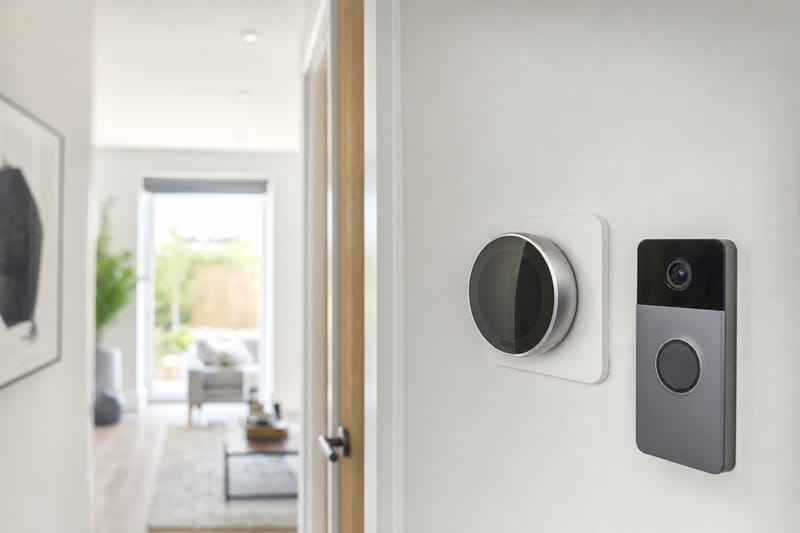
Walk into most new build show homes in 2026 and you’ll be shown the same things that used to be optional extras: a smart thermostat on the wall, a video doorbell at the front door, an app that promises to let you control the heating from the train, and a smart electricity meter tucked in the cupboard under the stairs. Developers like them because they photograph well and tick a sustainability box. Buyers like them because, on paper, they save money and hassle.
The problem is that smart home tech snagging new build issues don’t fit neatly into the categories your snagging list was designed for. A cracked tile is obviously a defect. A thermostat that shows the right temperature but won’t connect to Wi-Fi, a doorbell that works for three weeks and then stops sending notifications, or a smart meter stuck in "dumb mode" sending estimated readings — these sit in a grey zone between hardware fault, software fault, network issue and simple user error. Site managers are often not trained on the apps. Electricians who wired the device may have no idea how to pair it. And the manufacturer’s support line will usually ask whether you’ve tried turning it off and on again before admitting the unit itself might be faulty.
This guide sets out how to work out what kind of problem you actually have, who is contractually responsible for fixing each type, and how to log it so it doesn’t get quietly closed as "resolved" when it isn’t. It covers the four device categories causing the most reported issues on new developments as of 2026: smart thermostats and app-controlled heating zones, video doorbells, smart meters, and the home hub or app ecosystem that ties them together.
Before you log anything, it helps to understand that a "smart" fault can have at least four different root causes, each with a different person responsible for putting it right: a wiring or installation defect (developer’s problem), a hardware fault in the unit itself (manufacturer’s problem under its own warranty), a connectivity or account setup issue (often yours to resolve, sometimes with the installer’s help), or a network infrastructure gap — no Wi-Fi coverage at the device location, no mobile signal for the meter’s SIM — which can be anyone’s problem depending on how the home was specified and sold to you.
Is It a Defect, a Setup Problem, or User Error? A Quick Framework
Before you report anything, run through this sequence. It takes ten minutes and will save weeks of back-and-forth with a developer’s customer care team.
Step 1: Check the physical install
- Is the device securely fixed, level, and not loose on its backplate or bracket?
- Are there any visible wiring issues — exposed cable, a loose faceplate, a thermostat that has to be jiggled to show a reading?
- Does the device power up at all? A completely dead unit with no lights or display is far more likely to be a genuine installation or hardware fault than a connectivity issue.
Step 2: Check the network, separately from the device
- Does your phone get a strong Wi-Fi signal standing exactly where the device is fitted? Thermostats are frequently mounted in hallways or on stud walls far from the router, which weakens signal more than most people expect.
- Can you connect a different device (a laptop, a second phone) to the same Wi-Fi at that exact spot?
- For a smart meter, is there a mobile signal (2G/3G/4G, depending on the comms hub generation) in the area at all? Some new developments, particularly in dense urban infill or rural edge sites, have poor signal for the Data Communications Company (DCC) network the meter relies on.
Step 3: Check the account and app, not just the gadget
- Has the device actually been registered to your account, or is it still paired to the developer’s or electrician’s commissioning account from the install and demo stage? This is one of the single most common causes of "my thermostat won’t connect" reports.
- Have you downloaded the correct, current version of the app for your specific device model? Housebuilders sometimes fit different thermostat or doorbell brands across phases of the same development.
- Is the device firmware up to date? Many smart devices need an app-driven firmware update on first setup, which can fail silently on a poor connection and leave the unit half-configured.
If the device powers up, the Wi-Fi is strong at that location, and a different phone or account still can’t pair it — that points towards a genuine hardware or commissioning fault, not something you’re doing wrong.
Keep a simple note of what you tested and when. This written trail is what turns a vague "it doesn’t work" complaint into a specific, hard-to-dismiss fault report.
Smart Thermostat Not Working in a New Build: Common Causes
A smart thermostat not working in a new build is one of the most frequently reported "smart snag" issues, and it tends to fall into a handful of recurring patterns.
Blank or unresponsive display
Usually a power supply issue at the boiler or heat interface unit (HIU) rather than the thermostat itself. On new builds with communal or district heating, the thermostat talks to an HIU rather than a conventional boiler, and a fault at the HIU end (a tripped fuse, an unconnected live feed, a wiring loom not fully seated during final fix) will show up as a dead thermostat. This is squarely an installation defect and should go on your snagging list as an electrical item, not a "smart tech" item.
Thermostat shows temperature but the app won’t connect
Almost always a network or account problem rather than a hardware fault. Check Step 2 and Step 3 from the framework above before assuming the unit is faulty.
Temperature reading is wrong or heating runs constantly
This can be a genuine commissioning fault — the heating engineer may not have correctly calibrated the system or set up the zoning logic in the controller, especially on multi-zone underfloor heating systems where each room has its own actuator and sensor. It can also be a design issue if the thermostat is sited near a radiator, in direct sun through a window, or above a heat source, causing it to read inaccurately. Mis-sited thermostats are a design/installation defect and worth flagging even if the unit itself works perfectly.
App shows the heating as "off" but it’s clearly running
This is typically a sync issue between the physical controller and the cloud app, often resolved by a firmware update, but can also indicate the thermostat was never properly commissioned to the heating system’s actual zone configuration — worth escalating to the developer’s mechanical and electrical (M&E) contractor rather than treating as a user fix.
| Symptom | Likely cause | Who to report it to |
|---|---|---|
| Blank display, no power | Wiring/power fault at boiler or HIU | Developer (electrical snag) |
| Won’t pair with app | Weak Wi-Fi or wrong account | Try yourself first, then manufacturer support |
| Wrong temperature readings | Poor siting or mis-calibration | Developer (M&E commissioning snag) |
| App and unit out of sync | Firmware or commissioning fault | Manufacturer support, then developer if unresolved |
App-Controlled Heating Fault in a New Build: Zoning and Scheduling Problems
Beyond the individual thermostat, many new builds now have app-controlled heating zones — separate schedules and target temperatures for upstairs and downstairs, or room-by-room on larger plots with underfloor heating throughout. This adds a layer of complexity that goes well beyond a single faulty unit.
Zones that don’t match the rooms they’re supposed to control
A genuinely common commissioning error: the app shows "Zone 1 – Living Room" but adjusting it actually changes the temperature in the main bedroom. This happens when actuators or wiring are labelled or connected in a different order on site than in the app’s configuration. It is a commissioning defect, full stop, and should be raised with the developer as a snag — it is not something you can fix by re-pairing the app.
Schedules that don’t save or keep resetting
Can be a genuine app/cloud bug (worth checking the manufacturer’s known issues page or community forum — these are often acknowledged and fixed via update) or a sign that the hub controlling the zones is losing its connection to the cloud service intermittently, which points back to a Wi-Fi coverage or router placement issue in the property.
Heating runs on a schedule you never set
Often means the system is still partly running on the installer’s or developer’s commissioning profile, left in place after handover. Ask specifically whether the installer account has been fully removed and whether a factory reset was done before you took possession — this is worth doing proactively at move-in rather than waiting for a fault.
No hot water scheduling, or hot water and heating zones conflicting
On combi systems this is unusual, but on new builds with HIUs and separate domestic hot water zones, cross-wiring between the two circuits during final fix is a known, reportable installation fault.
Because zoning problems are genuinely difficult to diagnose remotely, it’s worth asking the developer’s customer care team to send the original M&E or heating subcontractor back out, rather than a general site snagging operative who may not understand the controls system.
Video Doorbell New Build Issues: Power, Wi-Fi and Positioning
Video doorbell new build issues tend to split cleanly into three causes, and working out which one you have determines who should fix it.
Hard-wired doorbells that lose power or won’t charge
Many developers fit hard-wired video doorbells connected to the existing door chime transformer. If the transformer supplies the wrong voltage, or the wiring wasn’t correctly connected during first fix, the doorbell can fail intermittently, drop to battery-only mode, or stop powering altogether. This is an electrical installation defect and belongs on your formal snagging list, not a support ticket with the doorbell manufacturer.
Weak or dropped Wi-Fi at the front door
Front doors are almost always the furthest point in the house from the router, and many are set back in a porch or behind a brick reveal that further weakens signal. A doorbell that drops offline, records clips with gaps, or sends delayed notifications is very often a Wi-Fi coverage problem rather than a faulty unit. Consider whether a Wi-Fi extender or mesh satellite near the hallway would resolve it before asking the developer to replace what is likely a perfectly functional device.
Notifications not arriving, or motion zones wrongly set
This is a setup issue rather than a defect. Most doorbell apps need motion zones and sensitivity manually configured after install — the factory default is often set too wide (triggering on every passing car) or too narrow (missing visitors). Check the app’s activity zone settings before logging a fault.
Doorbell image facing the wrong way or capturing a neighbour’s property
Installation angle is a genuine snag, particularly relevant where terraced or close-set new build plots mean a badly angled camera can inadvertently capture a neighbour’s doorway or garden — worth flagging promptly, both as a snag and a privacy consideration under UK data protection guidance for domestic CCTV-type devices.
| Doorbell issue | Root cause | Action |
|---|---|---|
| No power / dead unit | Wiring or transformer fault | Developer snag (electrical) |
| Drops offline / delayed clips | Weak Wi-Fi at front door | Improve home network coverage yourself |
| No notifications | App/motion zone settings | Reconfigure in app |
| Wrong camera angle | Installation/positioning | Developer snag (installation) |
If you’re comparing developments and this kind of tech is a priority, it’s worth checking exactly what’s included (and by whom) before reservation — our developments listings usually note specification details plot by plot.
New Build Smart Meter Problems: Why They’re So Common
New build smart meter problems are widespread enough that they deserve separate treatment from the gadgets a developer chooses to fit, because the meter is installed and owned by your energy supplier, not the housebuilder — even though it’s fitted during construction.
Meter stuck in "dumb mode"
The most common complaint: the meter is physically a smart meter (SMETS2, the current industry standard as of 2026) but is sending no data, forcing estimated bills. This usually means the meter has never successfully registered with the national Data Communications Company (DCC) network, which can happen if the property was empty for a period after the meter was fitted, if there’s poor signal for the comms hub in that location, or if the supplier simply hasn’t completed the remote commissioning step after your account went live.
No signal for the comms hub
Some new developments, particularly flats with meters in communal risers or basement meter cupboards, have genuinely poor signal for the meter’s wireless comms hub. This is a known, recognised problem and suppliers can sometimes fit a signal booster or an alternative communications method — but you need to report it as a specific signal issue, not just "my smart meter doesn’t work," to get the right engineer visit.
In-home display not pairing or showing no data
The small screen display that shows real-time usage is a separate device from the meter itself and commonly loses its pairing, especially after a change of supplier. This is a setup issue you can usually resolve yourself via the supplier’s app or a factsheet, rather than a defect.
Who is responsible for a faulty smart meter?
Your energy supplier, not the developer, is responsible for smart meter faults, because the meter is their asset and part of their regulated supply obligation under Ofgem rules. If you switch suppliers after moving in, make sure the new supplier can support your meter’s generation (SMETS1 meters sometimes needed enrolment into the DCC network to remain "smart" after a switch; this has now largely been resolved across suppliers, but it’s worth confirming at switch time).
Practical workaround while you wait
Take manual meter readings regularly and submit them to your supplier so bills stay accurate even if the smart functionality isn’t working. Photograph the meter display and the data screen monthly as evidence if a dispute over estimated billing arises later.
Who Is Responsible? A Working Breakdown
The single biggest source of frustration with smart tech snagging is that three or four different parties can plausibly be responsible for the same symptom, and each will point to another. Use this table as a starting reference when you first report a fault — and be prepared to be redirected once, but push back if you’re bounced a second time.
| Device / system | Who installed it | Who to contact first | Covered by NHBC/LABC/Premier warranty? |
|---|---|---|---|
| Smart thermostat / heating controller | Developer’s M&E subcontractor | Developer customer care | Wiring/commissioning: yes. Device hardware: manufacturer warranty |
| Video doorbell (hard-wired) | Developer’s electrician | Developer customer care | Wiring: yes. Unit fault: manufacturer warranty |
| Smart meter | Energy supplier (via their appointed installer) | Your energy supplier | No — not a developer responsibility |
| Home Wi-Fi router/network | Usually your own, sometimes developer-provided in flats with communal internet | Your ISP, or managing agent if communal | Only if part of a communal services contract |
| App account / software bugs | Device manufacturer | Manufacturer support | No — software is outside structural warranty scope |
| Smart extractor fans / MVHR controls | Developer’s ventilation contractor | Developer customer care | Yes, as part of mechanical ventilation system |
A useful rule of thumb: if the fault would exist regardless of which brand of gadget was fitted — the wiring is wrong, the zone is mislabelled, the unit has no power — it’s a developer snag. If the fault is specific to the app, account, firmware or your home network, it sits with the manufacturer or with you. Smart meters are the one category that’s neither: they belong to your energy supplier from day one, regardless of who physically fitted them during construction.
For background on how the formal rectification process works for items that are genuinely the developer’s responsibility, see How the Developer Snagging Rectification Process Works and Post-Completion Snagging: Your Rights and Timelines.
How to Log Smart Tech Snags Effectively
Generic snagging lists weren’t designed with Wi-Fi-dependent devices in mind, so a vague entry like "doorbell not working" is easy for a developer to close out without a real fix. Be specific.
What to include in every smart tech snag report
- Device make and model — check the manufacturer name on the unit or in the app, not just "the thermostat."
- Exact symptom — "blank display, no lights" is different from "connects to Wi-Fi but app shows offline," which is different from "pairs fine but temperature reading is 4°C too high."
- What you’ve already tested — Wi-Fi signal strength at the location, whether other devices connect fine on the same network, whether you tried a factory reset or re-pairing.
- Date and time the fault started, and whether it’s constant or intermittent.
- Photos or screen recordings — a short video of the app showing the wrong zone changing temperature is far more persuasive than a written description.
Use a snagging app or structured spreadsheet, not just verbal reports
A written, timestamped, photographed record is what protects you if a dispute drags on. See How to Use a Snagging App to Track Defects for a practical walkthrough of logging and tracking fixes through to sign-off.
Separate the report into the right category
If you submit one combined list with "thermostat not working" alongside "crack in plaster, landing" and "smart meter not reading," the smart tech items are more likely to get lost, delayed, or wrongly rejected as "not our responsibility." Submit smart tech issues as their own category, addressed partly to the developer’s customer care team (for installation/wiring aspects) and partly, where relevant, directly to the manufacturer or supplier.
Set a reasonable but firm timeline
For anything affecting heating — a thermostat fault that leaves you unable to control temperature — treat it as an urgent snag, not a cosmetic one. For context on how to triage snags by severity, see How to Prioritise Snagging: Urgent vs Cosmetic Issues. A non-functioning doorbell app or a delayed smart meter signal is inconvenient but rarely urgent, and it’s worth calibrating your expectations of response time accordingly.
What Your Warranty Actually Covers — and Doesn’t
It’s worth understanding the limits of NHBC, LABC and Premier Guarantee warranties before you assume every smart tech fault is covered the same way as a leaking roof.
The two-year developer warranty (defects insurance period)
In the first two years, your developer is contractually responsible for fixing genuine defects in workmanship and materials, including the installation and wiring of fitted systems. A thermostat with no power because of a wiring fault, a mislabelled heating zone, or a doorbell fitted at the wrong angle all fall within this period’s scope, because they are installation defects, not product failures.
The 10 or 12-year structural warranty
This covers major structural defects — foundations, load-bearing walls, roof structure — and generally does not extend to smart home devices at all, which have a much shorter expected service life than the structure of the house.
Manufacturer product warranties
Most smart thermostats, doorbells and hubs carry their own one or two-year manufacturer warranty covering hardware failure, separate entirely from your NHBC-style home warranty. If a unit is confirmed faulty (not a wiring, network or setup issue), this is usually the fastest route to a replacement — contact the manufacturer directly with your proof of purchase or the developer’s installation invoice.
What's explicitly excluded, almost universally
- Software bugs, app outages, and firmware issues — these sit with the manufacturer’s own support, not your home warranty.
- Your home Wi-Fi network performance, unless it was part of a developer-installed communal system in a flat.
- Third-party account or subscription issues (for example, a doorbell’s cloud recording feature requiring a paid subscription you haven’t activated).
- Wear and tear or damage caused after handover (a doorbell knocked askew, a thermostat screen cracked by impact).
| Warranty type | Typically covers smart tech wiring/install? | Typically covers device hardware failure? | Covers software/app bugs? |
|---|---|---|---|
| NHBC/LABC/Premier (years 1–2) | Yes | No | No |
| NHBC/LABC/Premier (years 3–10/12) | No — structural only | No | No |
| Manufacturer product warranty | No | Yes, typically 1–2 years | Partially, via updates |
For a broader sense of how warranty cover is structured and what to check before your two-year window closes, see Second Year Snagging: What to Check Before Your Warranty Expires.
Checking Smart Tech Before and During Your Demonstration Day
The best time to catch smart tech faults is before you complete, ideally during the pre-completion demonstration ("demo day") when a developer representative walks you through the home’s systems. Many buyers treat this as a formality; it’s actually your best opportunity to test every connected device with someone present who can commission a fix on the spot.
Ask for live demonstrations, not verbal explanations
- Have the demonstrator pair the thermostat app to your phone, live, in front of you, rather than just explaining how it works.
- Test each heating zone individually — adjust each one in turn and confirm, physically, which room changes temperature.
- Ring the doorbell and confirm a notification arrives on your phone before you leave the property.
- Ask to see the smart meter's in-home display showing live, non-estimated data.
Ask who commissioned each system and get their direct contact
Get the name of the specific M&E or electrical subcontractor who commissioned the heating controls, not just the developer’s general customer care line. If a zoning fault appears later, this makes it much easier to have the right specialist sent back out rather than a general snagging operative unfamiliar with the controls.
Confirm accounts are transferred to you, not left on the installer’s profile
Before you accept handover, explicitly ask for confirmation that any installer or demonstration accounts have been removed from each device and that it’s ready to be set up fresh under your own account. This single step prevents a large share of "won’t pair" problems reported in the first few weeks.
Note everything in writing on your snagging list, even if it’s fixed on the day
If a fault is resolved during the demo, still note it — a recurring issue with the same device is much easier to argue as a pattern, not a one-off, if you have a dated record from day one.
A smart home system that looks impressive in a five-minute demo can still conceal a mislabelled zone or an unregistered account — insist on testing each device individually rather than accepting a general "it all works" assurance.
When the Developer Says "It's Not Our Problem"
It’s common to be told, politely but firmly, that a smart device issue is "a software matter" or "something for the manufacturer," even when the underlying cause is clearly an installation defect. Here’s how to push back constructively.
Reframe the complaint around the installation, not the brand
Instead of "my thermostat doesn’t work," say "the heating zone labelled Living Room in the control app changes the temperature in the rear bedroom instead, which indicates the zone wiring or actuator labelling was connected incorrectly during commissioning." This makes clear you’re reporting a workmanship defect, not asking for tech support.
Escalate through the New Homes Quality Code if applicable
If your developer is registered with the New Homes Quality Board (a growing number of major housebuilders are, as of 2026), you have a formal route to raise unresolved complaints, including installation-related smart tech issues, through the New Homes Ombudsman Service once internal complaints processes are exhausted.
Loop in your NHBC, LABC or Premier Guarantee resolution service
If the developer won’t act on a genuine wiring or commissioning defect within your two-year period, your warranty provider’s dispute resolution service can be engaged. Keep your written evidence trail (see the logging section above) ready to submit.
Get a second opinion from an independent electrician if needed
For persistent heating zone or wiring disputes, a short paid visit from an independent, NICEIC-registered electrician to document the fault in writing can be decisive — developers are far more responsive to a third-party report than to a buyer's own description, however accurate.
Don’t let a manufacturer warranty claim close the developer's responsibility
If you successfully get a faulty unit replaced under the manufacturer’s warranty but the underlying installation problem (bad wiring, wrong zone, poor Wi-Fi design) isn’t fixed, the replacement unit will likely fail the same way. Insist both issues are addressed, not just the swap.
| Escalation step | When to use it |
|---|---|
| Developer customer care, written and specific | First step, always |
| Request named M&E subcontractor revisit | Zoning or commissioning disputes |
| Independent electrician report | Developer disputes the fault exists |
| Warranty provider resolution service | Developer won’t act within reasonable time |
| New Homes Ombudsman Service | Developer is NHQB-registered and internal process exhausted |
Buying Off-Plan? Questions Worth Asking Before You Reserve
If you’re still choosing a plot or development and smart home tech is part of the specification, a little due diligence before reservation avoids a lot of snagging grief later.
Questions to ask the sales team
- Which specific brand and model of thermostat, doorbell and meter will be fitted? "Smart heating controls" on a spec sheet can mean very different things.
- Is the home on mains broadband already, or will you need to arrange your own internet provider before move-in? Smart devices are useless without a working connection from day one.
- Who commissions and tests the heating zones before handover — the developer’s own team, or a specialist controls subcontractor?
- Does the development have known mobile signal issues relevant to smart meter connectivity (common on some basement or deep-plan flats)?
- Is there a separate warranty document for the smart devices, and does it list a direct manufacturer support contact?
Consider the practical trade-offs
App-controlled heating and video doorbells genuinely can be useful, but they add a layer of dependency on Wi-Fi, cloud services and manufacturer support that a simple mechanical thermostat or wired doorbell never had. If reliability matters more to you than features, ask whether a non-connected alternative is available as a specification option — some developers will accommodate this on request, particularly on higher-value plots.
Check what happens if the manufacturer discontinues the product
Smart home product lines are sometimes discontinued or have their cloud services shut down a few years after launch, leaving a "smart" device as a basic, limited-function unit. This isn’t something a developer can guarantee against, but it’s worth knowing before you rely heavily on app-based scheduling for your main heating control.
If you’re comparing specifications across several developments, our compare tool and map can help you weigh up plots side by side, including broadband and connectivity considerations where listed.
Frequently Asked Questions
Is a faulty smart thermostat covered by my NHBC or Premier Guarantee warranty?
The wiring and commissioning of the thermostat is typically covered as part of the developer's defects insurance period in years one and two, because that's an installation issue. The thermostat unit itself failing as a piece of hardware is usually covered by the manufacturer's own product warranty instead, not your home warranty.
My smart thermostat shows the right temperature but won't connect to the app — is this a snag?
Not usually. This pattern points towards a Wi-Fi signal or account pairing issue rather than an installation defect. Check signal strength at the thermostat's exact location and confirm the device has been registered to your own account, not an installer's, before reporting it as a fault.
Who fixes a new build smart meter that isn't sending readings?
Your energy supplier, not the developer. The smart meter is the supplier's asset, and faults including loss of signal to the Data Communications Company network are their responsibility to resolve, usually through an engineer visit or remote re-commissioning.
My video doorbell keeps dropping offline — should I log it as a snag?
Only if you've ruled out Wi-Fi coverage as the cause first. Front doors are often the weakest Wi-Fi spot in a new build. If a different device also struggles to connect at that exact location, it's worth improving your home network before assuming the doorbell or its wiring is faulty.
Can I ask the developer to fit a different smart device if the one installed doesn't suit me?
Generally not after completion — you're entitled to have the specified device working correctly, not swapped for an alternative brand. If you have strong preferences, raise this during the specification or options stage before legal completion, while changes are still possible.
Why does one heating zone control the wrong room in my new build?
This points to a genuine commissioning defect — the physical wiring or actuator for that zone was likely connected or labelled incorrectly during final fix. Report it with video evidence showing the app and the room that actually changes temperature, and ask for the original heating subcontractor to be sent back to correct it.
Does a smart home warranty last as long as the rest of my new build warranty?
No. Manufacturer warranties on smart devices are typically one to two years, far shorter than your 10 or 12-year structural warranty. Keep proof of purchase or installation paperwork for each device so you can make a warranty claim directly with the manufacturer if needed.
What should I do if the developer and the manufacturer both deny responsibility?
Document the fault precisely (symptom, testing done, dates), reframe your complaint around the installation rather than the brand, and escalate through your warranty provider's resolution service or, if applicable, the New Homes Ombudsman Service once internal complaint routes are exhausted.
Next Steps
Smart home tech snagging rewards precision: knowing exactly which symptom you have, and exactly who is responsible, turns a vague complaint into a fault that gets fixed. A few places to continue from here:
- Browse developments to compare what smart tech is specified as standard before you reserve a plot.
- Check builders profiles for the developer's track record on customer care and defect resolution, not just design.
- Search live properties and ask the sales team directly for the exact brand and model of any fitted smart devices.
- Use the map to assess an area's general connectivity context before you commit to a plot that depends heavily on a strong mobile or broadband signal.
- Explore our tools section for calculators and checklists to support the rest of your buying and snagging process.
- Use compare to weigh up specification differences, including smart tech, across multiple developments side by side.
And if you're already in your new home and working through a snagging list, pair this guide with How to Use a Snagging App to Track Defects and How to Prioritise Snagging: Urgent vs Cosmetic Issues to keep your reports organised and your escalation route clear from the outset.